Sunday, August 25, 2013
Tips to Root HTC Sensation Android 2 3 Gingerbread Smartphone
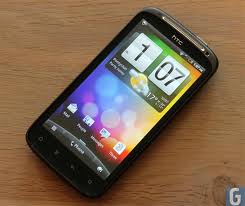
We know that HTC has released the newest smartphone HTC Sensation, which comes in this marketplace today. Right since its announcement, release and subsequent purchases, users have been very needing to root the unit; one due to advantages of rooting, which have been over and over again iterated, another because of the rage against HTC for the anti-rooting campaign. If HTC is brilliant enough to include something called HTC Sync that can forbid rooting, at any expense, our developers are much more developed they uninstall the HTC Sync software and proceed with your rooting. Not strange HTC is mad!
We all know that HTC Sensation relies on a Gingerbread version of Android, or v2.3. The only glitch in rooting this tool and the main difference between rooting the Sensation and other Gingerbread phones is the HTC Sync needs to be temporarily removed the instructions for uninstalling the HTC Sync is found on the internet and can be done simply using any application installer software, that is included by default in all phones or by downloading any software manager software and installing its apk file.
- First download the Gingerbreak.apk file.
- Extract the zip file and save on your computers desktop. This is a precursor for transferring it to your phone.
- Connect the phone to your computer.
- Mount SD card as flash drive as you generally do for USB cable file transfers.
- Copy the downloaded Gingerbread apk file to SD card root.
- You should have any File Manager (e.g., Astro File Manager) on your phone. If not, download from Market. These are generally free apps.
- Disconnect your phone from computer and launch File Manager. You will find in the menu of the phone.
- Follow the onscreen instructions on File Manager to install APK to your phone from SD card root. You may also use the default application installer software to do this.
- After installation completes, open the APK.
- Press root button. Simple, isn’t it?
- The APK exploit will run for some time. Usually it runs for around 10 minutes. Your phone will be rebooted. In case it takes more than ten minutes for auto reboot, please reboot it yourself. Not to panic, this happens a lot of times.
- Your device is now rooted. Congrats!
- Make sure that SuperUser app is installed and is running. This is very important for you to enjoy the benefits of rooting.
In order to test if you are phone has been successfully rooted, just click a screenshot of your phone. That should show that the phone have been rooted.
Disclaimer: The users should keep to the above guidelines at their unique risk. We will not cause any loss anyways.

Smartphone Huawei U8651T Manual

Table contents of Huawei U8651T user manual:
- Reading Before Proceeding
- Getting to Know Your Mobile Phone
- Calling
- Contacts
- Using the Onscreen Keyboard
- Messaging
- Getting Connected
- Entertainment
- Google Services
- Synchronizing Information
- Using Other Applications
- Managing Your Mobile Phone
- Appendix
As described at Huawei website, Huawei U8651T smartphone comes with these specification and features:
- Device Name: Huawei U8651T
- Carrier: T-Mobile
- Price: $33.99
- Dimensions: 116.4mm X 60.4mm X 12.2mm
- Weight: 117g (with battery )
- Form factor: Bar
- Operating System: Android 2.3
- Band: UMTS 850/1900/AWS MHz; GSM/GPRS/EDGE 850/900/1800/1900 MHz, HSDPA
- Transfer Rate: HSDPA 7.2Mbit/s
- CPU: 600MHz
- Display: 3.5-inch QVGA( 320x240 pixels), 262k Color
- RAM: 512MB
- Flash memory: 512MB
- microSD Memory Slot: Yes, Up to 32GB micro SD
- Camera: 3.2 Mega-pixel
- Location: GPS/AGPS
- Sensors: Accelerometer, Proximity, Ambient light sensor, Compass
- USB: Micro USB 2.0
- Wi-Fi: 802.11b / 802.11g / 802.11n
- Bluetooth: Bluetooth 2.1
- Web browser: Android Native Browser
- Video player: H.263/H.264/MPEG4
- Video recording: MP4
- Music player: MP3
- FM radio: supported
- Ringtone: MP3, MIDI, AMR-NB, AAC,AAC+, eAAC+, PCM, OGG Vorbis
- Headphone: 3.5mm
- Standard Battery: 1400mAh
- Talk Time: Up to 420 mins (3G)
- Standby Time: Up to 215 hours (3G)
Before using your Huawei U8651T (T-mobile Huawei Prism) mobile phone, you have to check the accessories supplied, such as Huawei U8651T mobile phone, Data line, Battery, User guide, Quality certification, Earphones, Warranty card, Charger and Micro SD card.
Device Overview of Huawei U8651T mobile phone:

1. Earpiece
2. Home
3. Menu
4. Back
5. Search
6. Speaker
7. Camera
8. Volume keys
9. The second microphone
10. Headset jack
11. Power
Quick operating guide of of Huawei U8651T at a glance.
How to add an entry to contacts?
1. If you are already working with Dialeror Contacts, touch the Call log tab.
2. Touch and hold the entry you want to add.
3. Touch Add to contacts in the options menu.
4. Touch Create new contactor scroll through the contact list and touch an existing contact name.
How to add an Email account?
1. Touch Apps -> Email.
2. To customize your email settings, answer the on screen prompts, and then touch Next. Or touch Manual setup if you want to set the mail server yourself.
3. Enter the account name and the name you want other people to see when they receive an email from you.
4. Touch Done.
How to share your phone's data connection via USB?
1. Touch Apps -> Settings.
2. Touch Wireless & networks -> Tethering & portable hotspot.
3. Select the USB tethering check box to share your data connection.
How to search a File?
1. On the File Managerscreen, touch a folder to access the directory where the file you want is located.
2. Touch menu to open the options panel, and then touch Search.
3. Write a keyword of the name of your file in the search box.
4. Touch Search icon, next to the search box. Your mobile phone will start the search.
5. A list of search results will be displayed. Touch a file in the list to open it.
6. Touch New search for a new search or touch the back key to return to the file manager screen.
To know more about operating instruction and troubleshooting tips of Huawei U8651T mobile phone, you can download this Huawei U8651T user manual below.
This Huawei U8651T user manual is available for FREE at Huawei website, blogger.blogspot.com merely collect the information, we neither affiliated with the author(s), the website and any brand(s) nor responsible for its content and change of content. (Read our disclaimer before you download the document from the website).
Download Huawei U8651T User Manual.PDF(8.39MB)
Thursday, August 15, 2013
Panasonic India has launched its first smartphone P51 in India

The company said it has inked a partnership deal with Times Internet Limited, the online division of The Times Of India Group, and the new handset will come preloaded with TOI and ET apps.
Wednesday, August 14, 2013
Tuesday, August 6, 2013
When did you realize you were a smartphone addict
 According to a recent IDC survey, 91% of Canadian smartphone owners keep their devices in reach 100% of the time. Think about that statistic for a moment. There are roughly 21 million smartphones in use Canada, with a 59% adoption rate across the carriers. Nineteen million Canadians are never more than a few steps from their handset(s).
 We’ve all been there: that moment, perhaps months or years after the purchase of your first smartphone, when you realize you’re completely, hopelessly addicted to that device in your pocket or your purse. For most people, it is a gradual, insidious change of behaviour; half an hour a day turns into an hour that becomes several. Where once you may have been able to ignore the flashing red light, you are now summoned to it like a salivating dog after kibble.
When was that first moment for you? I think, for me, it was when I discovered the custom ROM scene on Android. The day after I brought home a Motorola Milestone, hearing about all the things you could do with a rooted device — like jailbreaking on steroids. Unlike the Verizon Motorola Droid, which shipped with an unlocked bootloader, the Milestone was very much a baby of the carriers, completely locked down. I spent hours on XDA-Developers parsing instructions, reading tips and tricks, attempting to root that sucker. I slept little that night, and there have been others like it since, the attraction of breaking down a device’s OEM-imposed barriers too tantalizing to resist.
Cellular phones have changed our lives; we can’t remember a time when it wasn’t possible to make a call from anywhere, and many take for granted that, instead of reading a book on the way to work, there is always a few minutes for Subway Surfer or Words With Friends. And when you’re sitting in a nice restaurant and your phone vibrates in your pocket, don’t tell me there hasn’t been a moment of panic as you wondered whether it was important enough to risk being considered rude.
Smartphone addiction shouldn’t be dismissed, either, despite the levity of the preceding paragraphs. It can cause real, substantive harm to a person’s life. But that’s not for this column; we are all slaves to our phones, but hopefully, at the end of the day, we are still in control.
Nokia Lumia 920 Smartphone User Guide Free Download And Features

Specification and features Nokia Lumia 920:
- Network: GSM 850 / 900 / 1800 / 1900; HSDPA 850 / 900 / 1900 / 2100; LTE 800 / 900 / 1800 / 2100 / 2600; LTE 700 MHz Class 17 / 1700 / 2100
- Carrier: AT&T
- SIM: Micro-SIM
- Released: 2012, November
- Dimensions: 130.3 x 70.8 x 10.7 mm, 99 cc (5.13 x 2.79 x 0.42 in)
- Weight: 185 g (6.53 oz)
- Colors: Black, Gray, Red, Yellow, White
- Operating system: Microsoft Windows Phone 8
- Chipset: Qualcomm MSM8960 Snapdragon
- Processor: Dual-core 1.5 GHz Krait
- GPU: Adreno 225
- Sensors: Accelerometer, gyro, proximity, compass
- Display: 4.5 inches IPS TFT capacitive touchscreen (768 x 1280 pixels), 16M colors with Corning Gorilla Glass 2 and PureMotion HD+ ClearBlack display
- Multitouch: Yes
- Internal memory: 32 GB storage, 1 GB RAM
- Card slot: No
- Data Speed: HSDPA 42.2 Mbps, HSUPA 5.76 Mbps, LTE, Cat3, 50 Mbps UL, 100 Mbps DL
- WLAN: Wi-Fi 802.11 a/b/g/n, dual-band, DLNA, Wi-Fi hotspot
- Browser: HTML5
- Bluetooth: Yes, v3.1 with A2DP, EDR
- NFC: Yes
- GPS: Yes, with A-GPS support and GLONASS
- USB: Yes, microUSB v2.0, USB On-the-go support
- Camera: 8.7 MP rear facing camera (8 MP effective, 3264 x 2448 pixels), Carl Zeiss optics, optical image stabilization, autofocus, dual-LED flash; 1.3 MP front facing camera (720p@30fps of video)
- Camera Features: PureView technology, geo-tagging, touch focus, optical image stabilization
- Video: Yes, 1080p@30fps, video stabilization
- Messaging: SMS (threaded view), MMS, Email, Push Email, IM
- Alert types: Vibration; MP3, WAV ringtones
- Loudspeaker: Yes
- 3.5mm jack: Yes with Dolby Headphone sound enhancement
- Other features: MP3/WAV/eAAC+/WMA player, MP4/H.264/H.263/WMV player, 7GB free SkyDrive storage, SNS integration, Document viewer/editor, Predictive text input, etc.
- Battery: Li-Ion 2000 mAh (BP-4GW)
- Stand-by time: Up to 400 h (3G)
- Talk time: Up to 10 h (3G)
- Music play: Up to 67 h
Device overview of Nokia Lumia 920 smartphone

1. Earpiece
2. Micro-SIM holder
3. Connector for headphones and speakerphones (3.5 mm)
4. Front camera
5. Volume keys
6. Power/Lock key
7. Camera key
8. Search key
9. Micro-USB connector
10. Start key
11. Speakerphone
12. Back key
13. SIM door key
14. Camera flash
15. Camera lens.
To know about complete quick operating guide of Nokia Lumia 920 smartphone, you can download this Nokia Lumia 920 user manual below.
Table Contents of Nokia Lumia 920 manual user guide.
- Safety
- Get started
- Basics
- People & messaging
- Camera
- Maps and Navigation
- Internet
- Entertainment
- Office
- Phone Managemeny and Connectivity
- Help and Support
- Find your Phone Label
- Product and safety information
- Copyrights and other notices
- Index
Download Nokia Lumia 920 Manual user guide.PDF (1.11 MB)
Monday, July 29, 2013
Smartphone HTC One User Manual And Specification

Specifation smartphone and features
* Device Type: HTC One
* Carrier: Sprint, T-Mobile
* Release: 2013, March
* Dimension: 137.4 x 68.2 x 9.3 mm
* Weight: 143 g
* Platform: Android v4.1.2 (Jelly Bean)
* Processor: Quad-core 1.7 GHz Krait 300
* Display: 4.7 inches Super LCD3 capacitive touchscreen display (1080 x 1920 pixels) with Corning Gorilla Glass 2 and HTC Sense UI v5
* Sensors: Accelerometer, gyro, proximity, compass
* Network: GSM, HSDPA, LTE
* RAM: 2 GB
* Card slot: no
* Storage: 32/64 GB
* Rear Camera: 4 MP camera with autofocus, LED flash, 1/3″ sensor size, 2µm pixel size, simultaneous HD video and image recording, geo-tagging, face and smile detection, OIS
* Front Camera: 2.1 MP, 1080p@30fps, HDR
* Video: 1080p@30fps, HDR, stereo sound rec., video stabilization
* Data Speed: HSPA+; LTE, Cat3, 50 Mbps UL, 100 Mbps DL
* WLAN: Wi-Fi 802.11 a/ac/b/g/n, Wi-Fi Direct, DLNA, Wi-Fi hotspot
* Bluetooth: Yes, v4.0 with A2DP
* NFC: Yes
* Infrared port: Yes
* GPS: Yes, with A-GPS support and GLONASS
* USB: microUSB v2.0 (MHL)
* Browser: HTML5
* 3.5mm jack: Yes
* Battery: Non-removable Li-Po 2300 mAh battery
* Colors: Black, Silver, Red
* Price: $549.99 for normal price or $99.99 price with 2-Year contract
To know more about operating and settings instruction for HTC One smartphone, you can download this HTC One user manual below.
Table Contents of HTC One User Manual:
- Get Started
- Phone Basics
- Phone Calls
- Accounts and Messaging
- Apps and Entertainment
- Web and Data
- Camera and Video
- Tools and Calendar
- Settings
- Copyright Information
- Radio Frequency Exposure Operating Instructions
- Index
This HTC One user manual is available for FREE at Sprint website, We merely collect the information, we neither affiliated with the author(s), the website and any brand(s) nor responsible for its content and change of content. (Read our disclaimer before you download the document from the website).
Download HTC One user guide.pdf (34.44 MB)
Wednesday, July 24, 2013
Best Alcatel OT 978 Smartphone Manual Guide and Reviews

Alcatel OT-978 specifications:
- 2G Network GSM 850 / 900 / 1800 / 1900
- 3G Network HSDPA 2100
- SIM Mini-SIM
- Announced 2012
- Status Available
- Body Dimensions 127.4 x 66.1 x 10.9 mm (5.02 x 2.60 x 0.43 in)
- Weight 144.5 g (5.08 oz)
- Display Type TFT capacitive touchscreen, 16M colors
- Size 480 x 800 pixels, 4.0 inches (~233 ppi pixel density)
- Multitouch Yes
- - Touch-sensitive controls
- Sound Alert types Vibration; MP3 ringtones
- Loudspeaker Yes
- 3.5mm jack Yes
- Memory Card slot microSD, up to 32 GB
- Internal 512 MB
- Data GPRS Class 12 (4+1/3+2/2+3/1+4 slots), 32 - 48 kbps
- EDGE Class 12
- Speed HSDPA
- WLAN Wi-Fi 802.11 b/g
- Bluetooth Yes, v3.0 with A2DP
- USB Yes, microUSB v2.0
- Camera Primary 3.15 MP, 2048x1536 pixels
- Features Geo-tagging
- Video Yes
- Secondary Yes, VGA
- Features OS Android OS, v2.3 (Gingerbread)
- Sensors Accelerometer, proximity
- Messaging SMS(threaded view), MMS, Email, IM
- Browser HTML
- Radio FM radio
- GPS Yes, with A-GPS support
- Java Yes, via Java MIDP emulator
- Colors Black
Alcatel OT-978 Manual Guidebook PDF Download click here
( not available online)
Nokia Asha 205 Smartphone Manual Guide PDF Version

Nokia Asha 205 specifications:
- 2G Network GSM 850 / 900 / 1800 / 1900
- SIM Optional dual SIM (Mini-SIM)
- Announced 2012, Nov
- Status Coming soon. Exp. release 2012, Q4
- Body Dimensions 112.8 x 61.1 x 13 mm, 104 cc (4.44 x 2.41 x 0.51 in)
- Weight 94 g (3.32 oz)
- Keyboard QWERTY
- Display Type TFT, 65K colors
- Size 320 x 240 pixels, 2.4 inches (~167 ppi pixel density)
- Sound Alert types Vibration, MP3 ringtones
- Loudspeaker Yes
- 3.5mm jack Yes
- Memory Card slot microSD, up to 32 GB
- Phonebook Yes, Photocall
- Call records 20 dialed, 20 received, 20 missed calls
- Internal 64MB storage
- Data GPRS Class 12 (4+1/3+2/2+3/1+4 slots), 32 - 48 kbps
- EDGE Class 12
- WLAN No
- Bluetooth Yes, v2.1 with A2DP, EDR
- USB Yes, microUSB v2.0, USB On-the-go support
- Camera Primary VGA, 640x480 pixels
- Video Yes, QCIF@10fps
- Secondary No
- Features Messaging SMS, MMS, Email, Push Email, IM
- Browser WAP 2.0/xHTML, HTML, Adobe Flash Lite
Nokia Asha 205 Manual Guidebook PDF Download click here
( not available online)
Monday, July 15, 2013
Samsung launched Galaxy Mega Smartphone

Thursday, July 11, 2013
Free Download User Guide Smartphone LG Nexus 4 And Operating Intructions

As described at LG website, LG Nexus 4 smartphone comes with these specification and features:
- Dimensions: 133.9 x 68.7 x 9.1 mm
- Weight: 139 g
- Colors: Black
- Network: HSDPA 850 / 900 / 1700 / 1900 / 2100
- SIM: Micro-SIM
- Platform: Android v4.2 (Jelly Bean), upgradable to v4.2.1 (Jelly Bean)
- Processor: Quad-core 1.5 GHz Krait Qualcomm APQ8064 Snapdragon
- GPU: Adreno 320
- Display: 4.7 inches True HD IPS Plus capacitive touchscreen display (768 x 1280 pixels resolution), 16M colors, with Corning Gorilla Glass 2 protection display
- Multitouch: Yes
- RAM: 2 GB
- Storage: 8/16 GB storage the other features smartphone
- Card slot: No
- Rear facing camera: 8 MP, 3264 x 2448 pixels, autofocus, LED flash
- Camera features: Touch focus, geo-tagging, face detection, photo sphere
- Video: 1080p@30fps
- Front facing camera: 1.3 MP
- WLAN: Wi-Fi 802.11 a/b/g/n, dual-band, DLNA, Wi-Fi hotspot
- Data Speed: DC-HSDPA, 42 Mbps; HSDPA, 21 Mbps; HSUPA, 5.76 Mbps
- Bluetooth: v4.0 with A2DP
- USB: microUSB (SlimPort) v2.0
- NFC: Yes
- 3.5mm jack: Yes
- Location: GPS with A-GPS support and GLONASS
- Sensors: Accelerometer, gyro, proximity, compass, barometer
- Browser: HTML5
- Radio: No
- Battery: Li-Po 2100mAh
- Talk time: Up to 15 h (3G)
- Stand-by: Up to 390 h (3G)
- TV-out (via MHL A/V link): Yes
- Social Network Services: Yes; facebook, twitter, etc
- Video player: MP4/H.264/H.263 player
- Music player: MP3/WAV/eAAC+/AC3 player
- Google services: Google Search, Maps, Gmail, YouTube, Calendar, Google Talk, Picasa
- Active noise cancellation with dedicated mic: Yes
- Document editor: Yes
- Image/video editor: Yes
- Predictive text input: Yes
- Price: approx $589
Quick operating guide and troublehooting tips of LG Nexus 4 smartphone at a glance
How to add an app or widget to a Home screen?
Follow the instruction below:
1. Go to the Home screen where you want to place the app or widget.
2. Touch the All Apps icon.
3. Swipe right, if necessary, to find the app or widget you want..
4. Touch & hold the app or widget until the Home screen appears, slide it into place, and lift your finger.
How to use the type text by speaking?
Follow the instruction below:
1. Touch a text field, or a location in text you’ve already entered in a text field.
2. Touch the Microphone key on the onscreen keyboard.
3. When you see the microphone image, speak what you want to type
How to access the Camera app without unlocking the screen?
Follow the instruction below:
1. Swipe left from the right edge of the screen.
2. If necessary, switch to the mode you want. The mode is indicated by the camera or other icon at the lower left in portrait mode.
3. Start taking photos or videos
How to add a widget to the lock screen?
Try this way:
1. Swipe left from the right edge of the screen until you see the Plus icon.
2. Touch the Plus icon. If prompted, enter your PIN, pattern, or password. A list of widgets appears. Apps that support lock screen widgets can add their own widgets to this list.
3. Touch the widget you want to add.
To know more about LG Nexus 4 features, operating instruction, and also troubleshooting tips of LG Nexus 4, please download this LG Nexus 4 manual below. and other intuctions smartphone
Table contents of LG Nexus 4 user guide
- Get started
- Explore your phone
- Use the Phone app
- Use the keyboard
- Try some apps
- Use Google Now & Search
- Accessibility
- Wireless & network settings
- Device settings
- Security settings
- Personal, account & system settings
- Appendix: Hardware reference
This LG Nexus 4 manual or user guide is available for FREE at LG website, We merely collect the information, we neither affiliated with the author(s), the website and any brand(s) nor responsible for its content and change of content. (Read our disclaimer before you download the document from the website).
Download LG Nexus 4 user guide.pdf (2.99 MB)
Wednesday, July 3, 2013
Smartphone HTC Droid DNA and user manual pdf

As described at Verizon Wireless website, HTC Droid DNA comes with these specification and features:
- Dimensions: 141 x 70.5 x 9.7 mm
- Weight: 141.7 g
- Color: Black
- Network: 2G:CDMA 800 / 1900; GSM 850 / 900 / 1800 / 1900; 3G Network: CDMA2000 1xEV-DO; HSDPA: 850 / 900 / 1900 / 2100; 4G Network: LTE 700
- SIM: Micro-SIM
- Platform: Android 4.1 (Jelly Bean) with HTC Sense
- Processor: Qualcomm® APQ8064 Quad-core 1.5 GHz, MDM9615M
- GPU: Adreno 320
- Sensors: Accelerometer, gyro, proximity, compass
- Display: 5.0 Super LCD3 capacitive touchscreen display (1080 x 1920 pixels) with Corning Gorilla Glass 2 screen protection and HTC Sense UI 4+
- Alert types: Vibration, MP3, WAV ringtones
- Loudspeaker: Yes
- Headset jack: 3.5mm
- Rear Camera: 8 MP (3264×2448 pixels) with autofocus and LED flash
- Front camera: Yes, 2.1 MP, 1080p@30fps
- Camera Features: Simultaneous HD video and image recording, geo-tagging, face and smile detection
- Video: Yes, 1080p@30fps, stereo sound rec., video stabilization
- Internal memory: 16 GB (11 GB user available) storage, 2 GB RAM
- Expandable memory: No
- Data Speed: HSPA, EV-DO Rev. A, up to 3.1 Mbps; LTE, Cat3, 50 Mbps UL, 100 Mbps DL
- WLAN: Wi-Fi 802.11 a/b/g/n, Wi-Fi Direct, DLNA, Wi-Fi hotspot
- Bluetooth: Yes, v4.0 with A2DP
- NFC: Yes
- USB: Yes, microUSB v2.0 (MHL)
- Messaging: SMS (threaded view), MMS, Email, Push Email
- Browser: HTML5
- Radio: TBD
- GPS: Yes, with A-GPS support and GLONASS
- Java: Yes
- Support music format: DivX/XviD/MP4/H.263/H.264/WMV player; MP3/eAAC+/WMA/WAV player
- Battery: Non-removable Li-Ion 2020 mAh battery
- Stand-by: Up to 353 h
- Talk time: Up to 12 h 40 min
Before using your HTC Droid DNA smartphone, you have to check the accessories supplied, such as DROID DNA by HTC Phone with preinstalled 3FF SIM, Wall/USB Charger, SIM Tray Removal Tool, Quick Start Guide, Global Support Brochure, Product Safety & Warranty Guide.
Operating instruction of HTC Droid DNA smartphone at a glance:
How to set the resolution screen?
Follow this instruction:
1. On the Viewfinder screen, tap Setting.
2. Tap Aspect and Resolution, and then choose an image resolution.
3. Tap Video Quality, and then choose a video resolution
How to remove a Home screen panel?
Try this instruction:
If you feel you need fewer Home screens, you can remove some.
1. On the Home screen, pinch the touch screen or press HOME to go to Leap view.
2. Press and hold the panel you want to remove. Don’t lift your finger just yet.
3. Drag the panel to [X].
How to add an Internet calling account?
1. Slide the Notifications panel open, and then tap Setting -> Call.
2. Under Internet call settings, tap Accounts.
3. Tap Add account.
4. Enter your account details.
5. Tap Menu -> Save.
6. To set Droid DNA by HTC to receive Internet calls on your added account, tap the Receive incoming callscheck button.
How to lock a message?
Solution:
You can lock a message so that it will not be deleted even if you delete the other messages in the conversation.
1. On the All messages screen, tap a contact (or phone number) to display the exchange of messages with that contact.
2. Tap the message that you want to lock.
3. Tap Lock messageon the options menu. A lock icon is displayed
To know more about operating instruction of HTC Droid DNA smartphone, you can download this HTC Droid DNA user manual below.
Table contents of HTC Droid DNA user manual
- Setting up your phone
- Your first week with your new phone
- Camera
- Personalizing
- Phone calls
- Messages
- Search and Web browser
- Photos, videos, and music
- Storage
- Sync, backup, and reset
- HTC Sync Manager
- People
- Social
- Calendar
- Travel and maps
- Essential apps
- Google Play and other apps
- Internet connections
- Bluetooth and NFC
- Settings and security
- Other essentials
- Trademarks and copyrights
- Index
Download HTC Droid DNA user guide manual.pdf (1.56 MB)
Monday, June 24, 2013
Nokia Lumia 510 Smartphone Guidebook PDF Version

Nokia Lumia 510 specifications:
- 2G Network GSM 850 / 900 / 1800 / 1900
- 3G Network HSDPA 850 / 900 / 1900 / 2100
- HSDPA 850 / 1900 - RM-898
- SIM Micro-SIM
- Announced 2012, October
- Status Available. Released 2012, November
- Body Dimensions 120.7 x 64.9 x 11.5 mm, 81 cc (4.75 x 2.56 x 0.45 in)
- Weight 129 g (4.55 oz)
- Display Type TFT capacitive touchscreen, 65K colors
- Size 480 x 800 pixels, 4.0 inches (~233 ppi pixel density)
- Multitouch Yes
- Sound Alert types Vibration; MP3, WAV ringtones
- Loudspeaker Yes
- 3.5mm jack Yes
- Memory Card slot No
- Internal 4 GB storage, 512 MB RAM
- Data GPRS Up to 85.6 kbps
- EDGE Up to 236.8 kbps
- Speed HSDPA, 7.2 Mbps; HSUPA, 5.76 Mbps
- WLAN Wi-Fi 802.11 b/g/n
- Bluetooth Yes, v2.1 with A2DP, EDR
- USB Yes, microUSB v2.0
- Camera Primary 5 MP, 2596х1948 pixels, autofocus
- Features Geo-tagging, touch focus, face detection
- Video Yes, VGA@30fps
- Secondary No
- Features OS Microsoft Windows Phone 7.5 Mango
- Chipset Qualcomm MSM7227A Snapdragon
- CPU 800 MHz Cortex-A5
- GPU Adreno 200
- Sensors Accelerometer, proximity
- Messaging SMS (threaded view), MMS, Email, IM
- Browser HTML5
- Radio Stereo FM radio
- GPS Yes, with A-GPS support
- Java No
- Colors White, Cyan, Black, Red, Yellow
Nokia Lumia 510 Manual Guidebook PDF Download click here
( not available online)